Meetily: Free AI Meeting Note Taker That Stays Private
Meetily is a free AI meeting note taker. It transcribes your calls live and writes summaries on your own computer, so recordings never have to leave it.
Meetily is a free AI meeting note taker that records, transcribes and summarizes your calls on your own computer. With a local AI model, nothing has to leave your machine.
AI note takers are handy, but most send your recordings to a company's servers. That's a real worry when you talk about clients, patients, legal plans or salaries. This guide shows how Meetily keeps it local, how to install it, and what the free version can and can't do.
Key takeaways
- Free and open source under the MIT license. The makers say the free Community Edition stays "free & open source forever."
- Private by design. Transcripts and recordings are stored on your computer, per the README.
- Live transcripts with Whisper or Parakeet speech models, plus AI summaries.
- Mac, Windows and Linux. Mac and Windows get installers; Linux builds from source.
- Popular: about 31.8K GitHub stars. A paid PRO version adds extra features.
What is Meetily?
Meetily is a desktop app that listens to your meetings and writes them down. The README (the project's main instructions page) calls it "a privacy-first AI meeting assistant that runs entirely on your local machine."
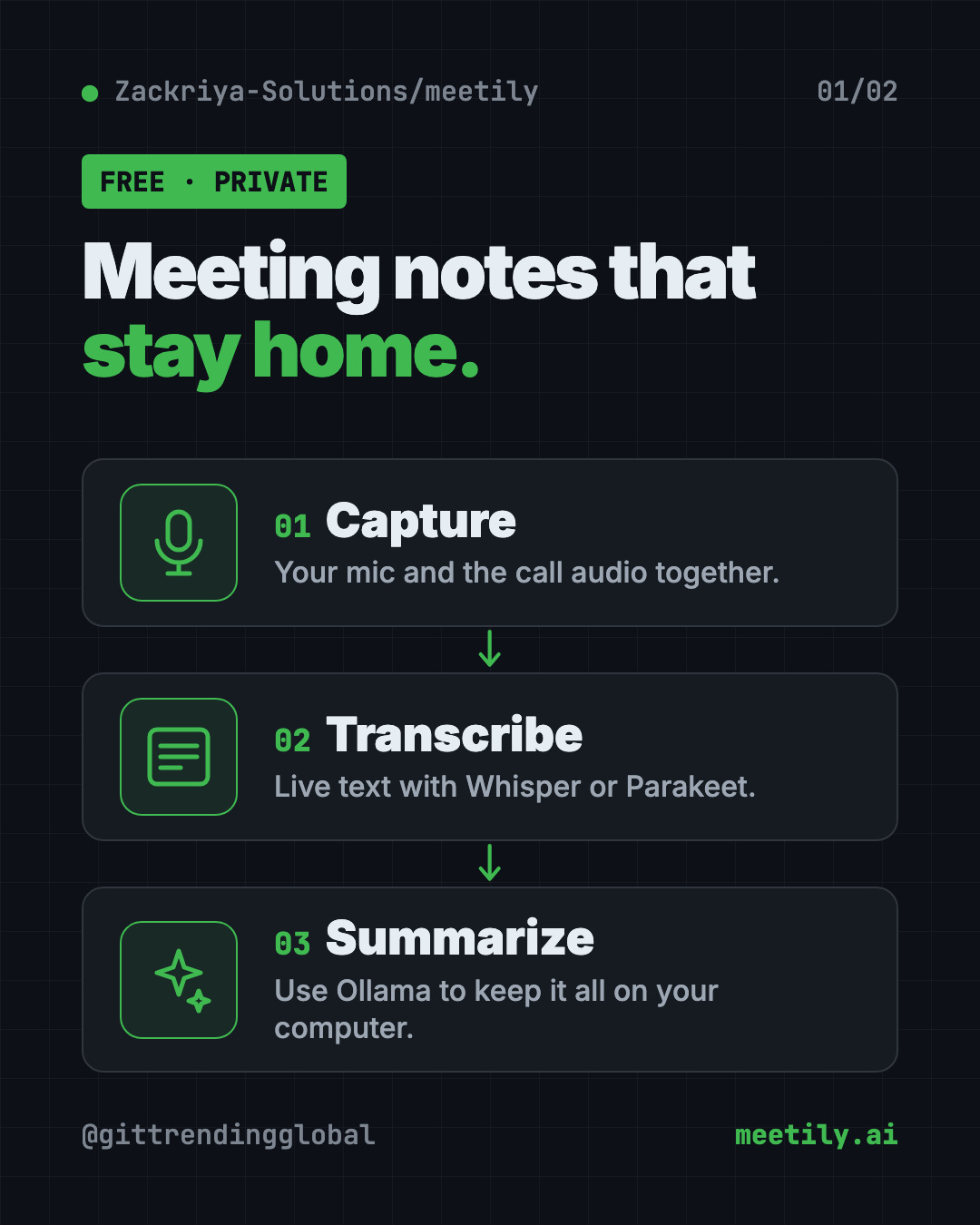
It does three things:
- Captures your microphone and your computer's sound at the same time, so it hears both you and the other people on the call.
- Transcribes the talk into text as it happens.
- Summarizes the meeting with an AI model you choose.
It is made by Zackriya Solutions. The app is built with Tauri and Rust, tools for making fast desktop apps.
How does Meetily keep meetings private?
The speech-to-text part runs on your computer using Whisper or Parakeet models. Whisper comes from OpenAI and Parakeet from NVIDIA, but both run locally here. The README says "transcription models, recordings, and transcripts are stored locally."
For summaries, you pick the AI provider. The README recommends Ollama, a free app that runs AI models on your own computer. It also supports Claude, Groq, OpenRouter, OpenAI or your own company's AI server.
⚠️ Heads up: If you choose Claude, Groq, OpenRouter or OpenAI for summaries, your transcript is sent to that company to be summarized. For fully private notes, use Ollama.
How to use Meetily (real examples)
- Client calls. A consultant records a call, gets a live transcript, and turns it into a summary with next steps. Nothing goes to a third-party note-taking service.
- Patient or case notes. Doctors, therapists and lawyers handle private talks. Running Meetily with Ollama keeps the whole thing on one machine.
- Team stand-ups. Get a quick summary of who said what, then paste it into your team chat.
- Old recordings. The "Import & Enhance" feature (in beta) turns existing audio files into transcripts. You can also re-transcribe a meeting with a different model or language.
- Interviews and research. Journalists and students can transcribe interviews offline, even on a plane.
💡 Tip: Always tell people you are recording, and check the rules where you live. Some places require everyone's consent.
Is Meetily really free?
Yes. The Community Edition is free and open source under the MIT license. You can use it for your own purposes.
There is also Meetily PRO, a paid version "built on a different codebase." The README says PRO adds higher accuracy, custom summary templates, PDF and Word exports, auto-detecting meetings and self-hosting for teams. Prices are on the Meetily website, not in the README.
You don't need PRO for private local transcripts and summaries.
Does Meetily work offline?
Yes. The README lists "works offline" as a key benefit. Transcription runs on your machine. If you use Ollama for summaries, those run offline too.
You need the internet once to download the app and the speech models.
How to install Meetily on Mac, Windows and Linux
On a Mac
The README's Mac download is built for Apple Silicon (M1 or newer).
- Open the Meetily releases page.
- Download the
.dmgfile for Mac (named likemeetily_0.4.1_aarch64.dmg). - Open it and drag Meetily into your Applications folder.
- Open Meetily from Applications.
On Windows
- Download the latest
x64-setup.exefrom the same releases page. - Run the installer.
⚠️ Heads up: The Windows installer needs a 64-bit processor that supports AVX2. If you are unsure, ask your AI helper to check before you install.
On Linux
Linux users build it from source. You need Rust, Node.js and pnpm. Copy and paste this:
git clone https://github.com/Zackriya-Solutions/meeting-minutes
cd meeting-minutes/frontend
pnpm install --frozen-lockfile
./build-gpu.sh
The README links to a full Linux build guide if you get stuck.
Set up private summaries with Ollama
Install Ollama from ollama.com, then pick Ollama as the summary provider inside Meetily. That keeps both transcripts and summaries on your computer.
Let Claude or Codex set it up for you
Claude Code and OpenAI Codex are AI helpers that can run setup steps on your computer. You paste a request, it explains each step, and you approve it.
Copy and paste this:
Please help me install Meetily, the free AI meeting note taker from github.com/Zackriya-Solutions/meetily.
1. Check my computer: Mac (which chip), Windows (does my CPU support AVX2) or Linux.
2. Download the right file from the latest release and install it.
3. Install Ollama and a small model so my meeting summaries stay on my computer.
4. Explain each step before you run it, and tell me which permissions Meetily needs.
Then try asking:
Meetily isn't hearing the other people on my call. Help me check its system audio settings.
Which Ollama model should I use for Meetily summaries on my laptop, and why?
Turn this Meetily transcript into a short email with decisions and action items.
Meetily at a glance
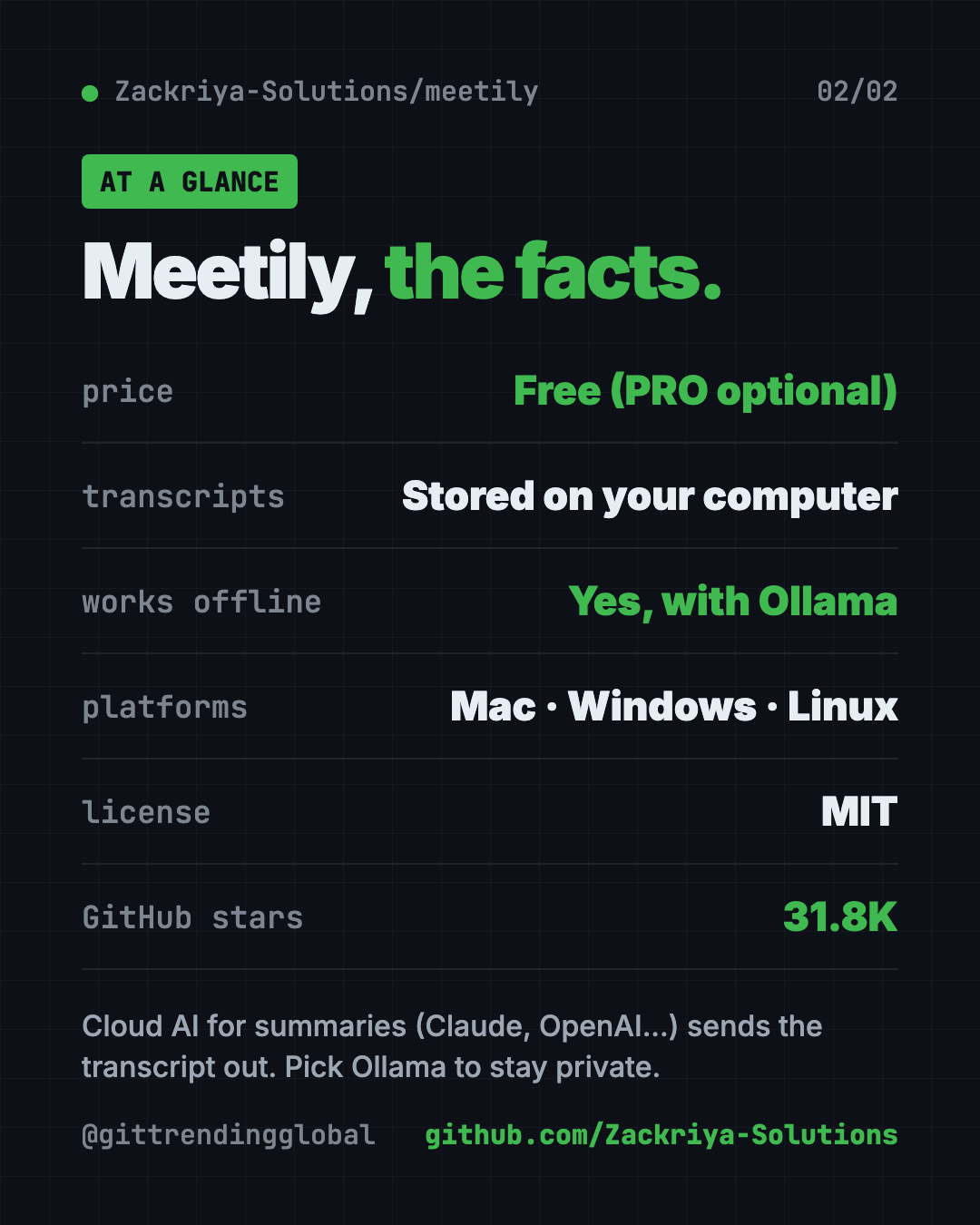
| Price | Free Community Edition; paid PRO optional |
| Works offline | Yes, with local transcription and Ollama summaries |
| Platforms | Mac (Apple Silicon download), Windows, Linux (build from source) |
| License | MIT (open source) |
| Speech models | Whisper or Parakeet, run on your computer |
| GitHub stars | About 31.8K |
| Best for | Anyone with private meetings who wants AI notes without the cloud |
Who should use Meetily?
- Consultants and freelancers who talk about client business.
- Healthcare and legal workers with sensitive conversations.
- Small business owners who want meeting notes without another subscription.
- Students and researchers transcribing interviews.
- Privacy fans who don't want their voice on someone else's server.
Our take
Meetily is a strong free pick if privacy matters more than bells and whistles. Pair it with Ollama and you get AI meeting notes that never leave your laptop.
What we like:
- Free and MIT licensed.
- Local transcription with good open models.
- Your choice of summary AI, including fully local.
- Mac and Windows installers.
- Import old recordings to transcribe them.
What to watch for:
- Linux means building from source.
- The Mac download targets Apple Silicon.
- Cloud summary providers send your transcript out, so pick Ollama for full privacy.
- Speaker labels and advanced exports are PRO-only for now.
Like private, local voice tools? See Handy, a free offline voice typing app, and VibeVoice, Microsoft's free AI that transcribes long audio. Meetily also topped our repos of the week for July 6.
FAQ
Is Meetily a free AI meeting note taker?
Yes. Meetily Community Edition is free and open source under the MIT license. A paid PRO version adds extras, but you don't need it.
Does Meetily send my meetings to the cloud?
Transcription runs on your computer and recordings stay there. Summaries stay local too if you use Ollama. Cloud providers like Claude or OpenAI would receive the transcript.
Does Meetily work with Zoom, Google Meet and Teams?
Meetily captures your mic and computer audio, and the README says it supports multiple meeting platforms. It works from your computer audio, so it is not tied to one meeting app.
Can Meetily tell who is speaking?
Not in the free version yet. The README lists speaker identification as a PRO feature that is coming soon.
Does Meetily work on Linux?
Yes, but you build it from source. The README gives the commands and links to a full Linux guide.
Can I transcribe an old recording with Meetily?
Yes. The Import & Enhance feature, still in beta, turns existing audio files into transcripts on your computer.
Get Meetily: github.com/Zackriya-Solutions/meetily
Follow @gittrendingglobal on Instagram for one free, useful tool every day.
📲 Watch the 30-second video on Instagram
Keep reading

DBX: Free Database Client for 100+ Databases, With AI (2026)
DBX is a free database client that opens 100+ kinds of databases in a 25 MB app. Its AI helper turns plain English into database queries for you.

PureMac: Free CleanMyMac Alternative, No Subscription
PureMac is a free CleanMyMac alternative. It clears junk, fully uninstalls apps and finds duplicates, with no subscription, no tracking and no scare tactics.

Strata: Run Big Local AI on a Gaming PC, Free
Strata is a free installer that runs big, private local AI on a gaming PC. It sets up a large Qwen model, so your chats never leave your computer.