Tolaria: a free notes app where you own every file
Tolaria is a free, offline notes app that keeps your knowledge in plain text files you own, with full version history and no account.
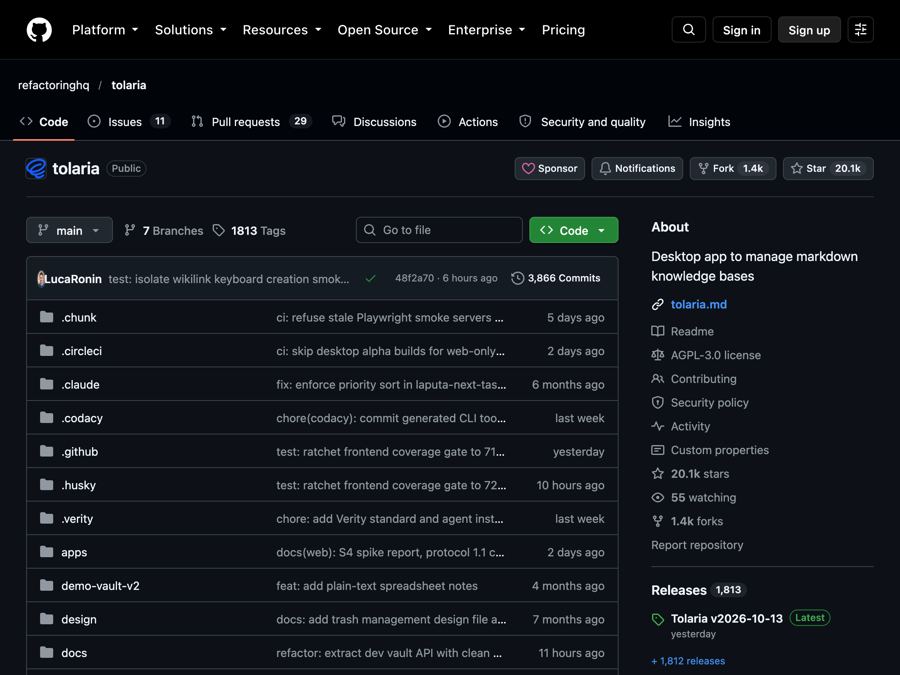
The problem it solves
You put years of notes into an app. Meeting notes, ideas, recipes, journal entries, research. Then the price goes up. Or the company changes the rules. Or you just want to leave.
Getting your notes out can be painful. Many apps store them in their own special format, on their own servers. You need an account, an internet connection, and often a monthly plan.
What it is
Tolaria is a free, open-source desktop app for your notes and knowledge. Open source means anyone can read the code that runs it.
Every note is a plain text file on your own computer, written in Markdown. Markdown is simple text with a few symbols for things like headings and bold words. Any text app can open it.
It works fully offline. There is no account and no subscription. The README promises that if you stop using Tolaria, you lose nothing.
The maker, Luca, uses it to run his own life. He has more than 10,000 notes in it.
Who it's for
- Anyone building a "second brain," a personal system for keeping ideas and knowledge.
- Writers, journalers and lifelong learners.
- Students organizing class notes and research.
- Small companies keeping their docs in one place, including as background info for AI tools.
- People who want to use AI assistants with their notes.
- Keyboard lovers who like doing everything without a mouse.
What you can do with it
- Keep notes as plain files. They are portable and work with any editor. There is nothing to export.
- Get full version history. Every collection of notes (called a vault) is also a Git repository. Git is a system that saves every version of a file, so you can go back in time.
- Work offline. No cloud and no servers needed. It works without internet, and the README says it always will.
- Sort notes with types. Types are simple labels that help you find notes. There are no required fields or strict rules.
- Use AI if you want. A folder of plain files works well with AI helpers. Tolaria has setup paths for Claude Code, Codex and Gemini, but you can use any AI you like, or none.
- Move fast with the keyboard. The editor and a command menu are built for keyboard use.
- Keep your options open. Notes use open standards, so you can switch apps any time.
How to start, step by step
What you need first: a Mac, Windows or Linux computer.
- Go to the Tolaria download page (linked from the GitHub page) and get the latest version for your computer.
- Install it and open it.
- When it opens the first time, choose to copy the "getting started vault." It walks you through the whole app.
- Start writing. Every note saves as a plain file on your computer.
On a Mac with Homebrew (a free app installer), you can install it with one line in Terminal instead:
brew install --cask tolaria
The maker also shares short video walkthroughs on how he organizes his notes, handles his inbox, and saves web pages.
Good to know
- It is free. No account and no subscription.
- Your data stays with you. Notes live on your computer, not on Tolaria's servers.
- Syncing is up to you. Because each vault is a Git repository, you can connect it to any Git service you choose. Tolaria does not run its own cloud.
- Work computers. The Windows installer is signed. But on a company laptop, your IT team may need to approve it first.
- Built for power users. It leans on the keyboard and on Git. If those are new to you, the getting started vault helps.
- License: AGPL-3.0. You are free to use it and change it. If you share a changed version, or run one as an online service, you must share your code too. The Tolaria name and logo are trademarks and are covered separately.
The bottom line
Tolaria is a notes app built on one simple promise: your notes are yours. They stay as plain files on your computer, with full history and no account needed. If you have ever felt trapped by a notes app, it is worth a look.
Get it: github.com/refactoringhq/tolaria
Keep reading

DBX: one small free app to open and edit 100+ kinds of databases
DBX is a free, tiny app that lets you browse, search and edit over 100 kinds of databases, with an AI helper that writes queries for you.

PureMac: free up space on your Mac without a subscription
PureMac is a free, open-source Mac cleaner that removes junk, fully uninstalls apps, and never tracks you or tries to scare you.

Strata: run a big, private AI chatbot on your own gaming PC
A free one-click installer that runs a large Qwen AI model on a normal gaming PC, so your chats never leave your computer.