Odysseus: your own private AI workspace, run on your own machine
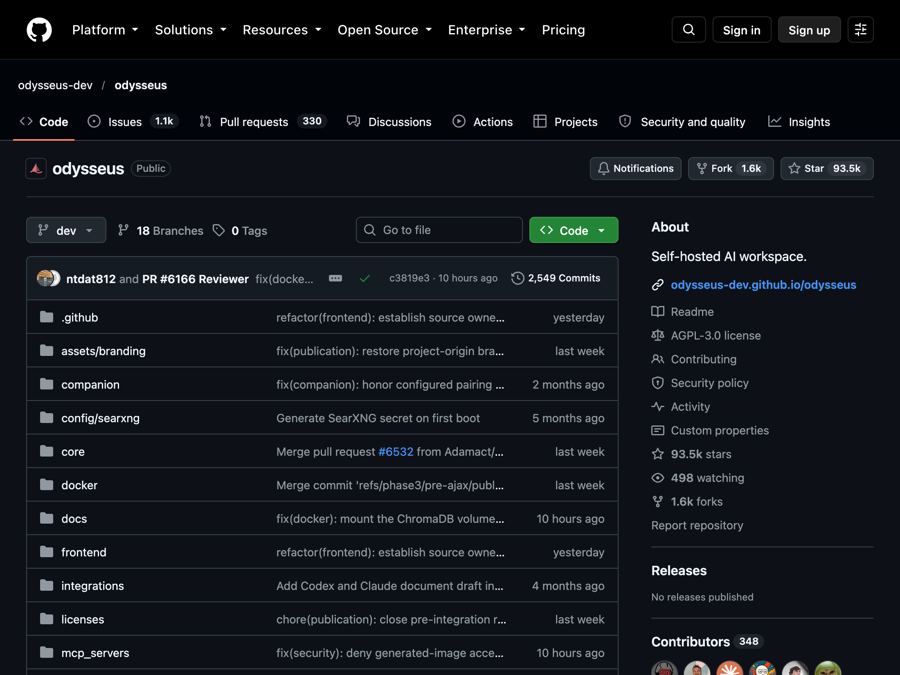
Odysseus is a free, self-hosted AI workspace for chat, deep research, documents, email, notes and calendar, so your data stays with you.
The problem it solves
AI chat tools are handy. But every question you type goes to someone else's computer. Your notes, your emails, your drafts. For a lot of people, that feels wrong. For some jobs, it is simply not allowed.
On top of that, your AI tools are often spread out. One app for chat, another for notes, another for email, another for your calendar. Each one wants its own account.
What it is
Odysseus is a free AI workspace you run yourself. People call this "self-hosted," which means it lives on a computer you control, not on a company's servers.
It puts many tools in one place: AI chat, AI helpers that can do tasks (often called agents), deep web research, a writing editor, email, notes, tasks and a calendar. You can use AI models that run on your own machine, or connect online AI services if you prefer.
Who it's for
- People who want AI help without handing over their private data.
- Small teams that want one shared AI workspace they control.
- Writers and researchers who want AI-written research reports with sources.
- Busy people who want AI to sort and summarize their email.
- Tinkerers who want to try different AI models and compare them.
You will need to be comfortable typing a few commands. More on that below.
What you can do with it
- Chat with AI. Use models on your own machine or online ones. The AI can use tools, files and memory.
- Get model advice. A "Cookbook" suggests AI models that fit your computer's hardware, then helps you download and run them.
- Run deep research. It searches the web in several steps, reads sources, and writes you a report.
- Compare AI models. Test two models side by side without knowing which is which, so you judge fairly.
- Write documents. A writing-first editor with AI edits and suggestions.
- Handle email. Connect your inbox. It can sort, tag, summarize, set reminders and draft replies.
- Keep notes, tasks and a calendar. With reminders, to-dos, and scheduled AI tasks. It can sync with other calendar apps.
- Extras. An image gallery and editor, themes, file uploads, web search, saved sessions, and two-step login (2FA) for extra safety.
How to start, step by step
What you need first:
- A Mac, Windows or Linux computer.
- Docker, a free app that runs other apps in neat, separate boxes. Docker Desktop is the easy version for Mac and Windows.
- Git, a free tool for downloading code projects.
Steps:
- Install Docker and open it.
- Open Terminal (on Mac) or a command window.
- Paste these four lines, one at a time:
git clone https://github.com/odysseus-dev/odysseus.git
cd odysseus
cp .env.example .env
docker compose up -d --build
- Wait until it finishes setting up.
- Open
http://localhost:7011in your web browser. - Find your first admin password. Run
docker compose logs odysseusand look for it in the output. - Sign in and start exploring.
The project also has a setup guide with notes for Windows, Mac, graphics cards and secure web access.
Good to know
- The app is free. But if you connect an online AI service instead of a local model, that service may charge you for use. Check its pricing.
- Local AI needs a capable computer. Running AI models on your own machine works best with plenty of memory. The Cookbook helps you pick models that fit.
- Two versions. The default "dev" version gets new changes first. The "main" version is more carefully checked.
- Keep it locked down. The makers say to keep the login turned on for anything reachable over a network. Don't expose it to the open internet without care.
- Privacy. Because you host it, your chats and files stay on your machine. If you use an online AI model, what you send to that model goes to that provider.
- License: AGPL-3.0. You are free to use it and change it. If you share a changed version, or run a changed version as an online service for others, you must share your code too.
The bottom line
Odysseus gives you a private, all-in-one AI workspace that you own. Setup takes a few commands and Docker, so it suits people willing to tinker a little. In return, your notes, email and research stay under your control.
Get it: github.com/odysseus-dev/odysseus
Keep reading

DBX: one small free app to open and edit 100+ kinds of databases
DBX is a free, tiny app that lets you browse, search and edit over 100 kinds of databases, with an AI helper that writes queries for you.

PureMac: free up space on your Mac without a subscription
PureMac is a free, open-source Mac cleaner that removes junk, fully uninstalls apps, and never tracks you or tries to scare you.

Strata: run a big, private AI chatbot on your own gaming PC
A free one-click installer that runs a large Qwen AI model on a normal gaming PC, so your chats never leave your computer.