Moli: a fast, light web browser built for AI helpers
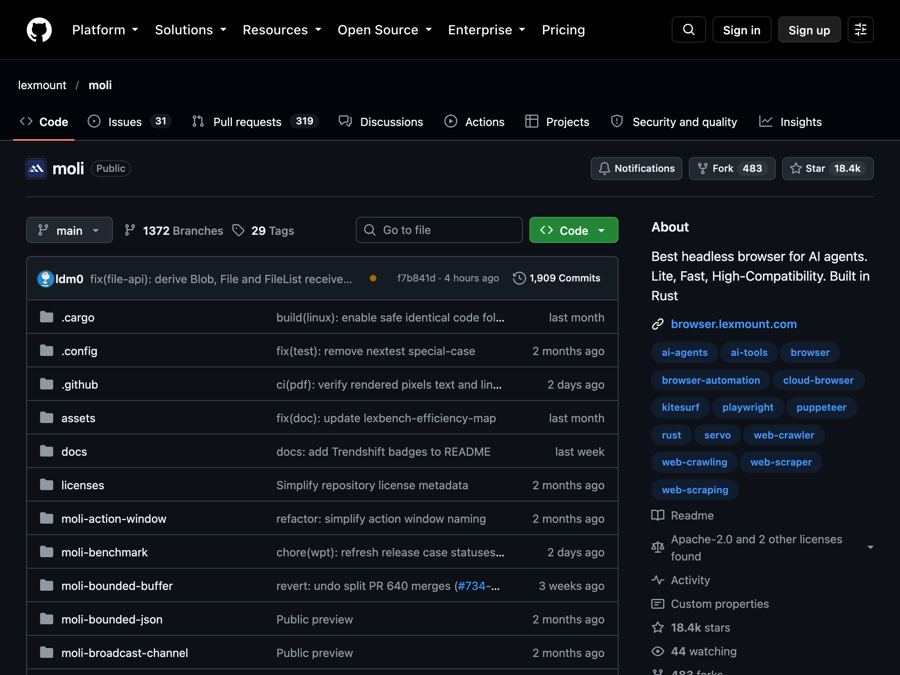
A free invisible web browser that lets AI helpers read, search and use websites quickly, while using far less computer memory.
The problem it solves
AI helpers are getting good at doing research and tasks on the web. But to read a website, they need a browser.
Most AI tools borrow a full browser like Chrome to do this. That works, but it's heavy. Chrome draws every pixel of every page, even when the AI only needs the text. It eats memory, slows things down and costs more to run, especially when you open hundreds of pages.
Moli is a browser made for AI from the start.
What it is
Moli is a free, open-source "headless" browser. Headless means it has no window. It runs out of sight, and an AI or a program tells it what to do.
Moli's big idea: most of the time, an AI only needs a page's structure and text, not a picture of it. So Moli skips the drawing work unless you ask for it. When you do want a screenshot, it draws one fresh, then throws the drawing away to save memory.
It's not a copy of Chrome. It's its own browser engine, written in Rust (a programming language known for speed and safety). It still runs real JavaScript, so modern websites work.
Who it's for
- Developers building AI agents that need to read or use websites.
- Researchers and data teams who collect information from many web pages.
- Companies running AI at scale who want to cut memory and server costs.
- Testers who automate websites with tools like Playwright.
If you use an AI coding helper like Claude Code, you can set it up just by asking.
What you can do with it
- Turn web pages into clean text. Get a page as Markdown (simple formatted text), HTML, JSON, or a compact "semantic tree" that AI models read easily.
- Search the web and fetch pages for your AI helper.
- Take screenshots and PDFs on demand, of the visible screen or a full page.
- Click and interact first, then save. For example, click a "show details" button and then grab the page.
- Automate browser tasks through the standard ways programs control browsers (called CDP and WebDriver). Playwright can connect to it directly.
- Skip extra installs. It doesn't need Chrome or separate driver programs installed.
- Control costs. Heavy features like real page layout, images, fonts and video are off unless you turn them on.
How light is it? In the team's own test of 192 public websites, Moli got useful content from slightly more pages than headless Chrome, at the same median speed. Its median memory use was 73 MB, compared with 773 MB for Chrome. These are the team's numbers.
How to start, step by step
You need a Mac, Windows or Linux computer.
The easy way, with an AI helper:
- Open your AI helper, such as Claude Code or Codex.
- Paste this prompt from the README:
Install the skills under https://github.com/lexmount/moli/tree/main/skills,
follow their instructions to download and install the latest prebuilt Moli
binary, then use moli-webfetch to fetch https://example.com and show me the
result.
- Ask it to fetch any website. It installs the skills and Moli, then shows you the page as text.
The direct way:
On Mac or Linux, open Terminal and run:
curl --proto '=https' --tlsv1.2 -fsSL \
  https://github.com/lexmount/moli/releases/latest/download/moli-installer.sh | sh
On Windows, run this in PowerShell:
powershell -ExecutionPolicy ByPass -c "irm https://github.com/lexmount/moli/releases/latest/download/moli-installer.ps1 | iex"
Then try it:
moli fetch --dump markdown --wait-until done https://example.com
Good to know
- It's for builders. There's no window or buttons. You use it through commands or an AI helper.
- Not every site works. In the team's test, about half of the 192 sites gave useful content for every browser tested, including Chrome. Login walls and bot checks still block it.
- Free to use on its own. Moli is made by Lexmount, which also sells a managed cloud version. The README says the open-source browser is fully usable without it.
- Screenshots need a switch. Add
--layoutwhen you want pictures or real page geometry. - Apache-2.0 license means you can use, change and share it for free, even in a business. Keep the license notice and note any changes you make.
The bottom line
Moli gives AI helpers a real web browser without the weight of Chrome. It reads pages fast, uses far less memory, and only draws pictures when asked. If you build anything where AI reads the web, it's worth a look.
Get it: github.com/lexmount/moli
Keep reading

DBX: one small free app to open and edit 100+ kinds of databases
DBX is a free, tiny app that lets you browse, search and edit over 100 kinds of databases, with an AI helper that writes queries for you.

PureMac: free up space on your Mac without a subscription
PureMac is a free, open-source Mac cleaner that removes junk, fully uninstalls apps, and never tracks you or tries to scare you.

Strata: run a big, private AI chatbot on your own gaming PC
A free one-click installer that runs a large Qwen AI model on a normal gaming PC, so your chats never leave your computer.