OpenSEO: get found on Google without a big monthly SEO bill
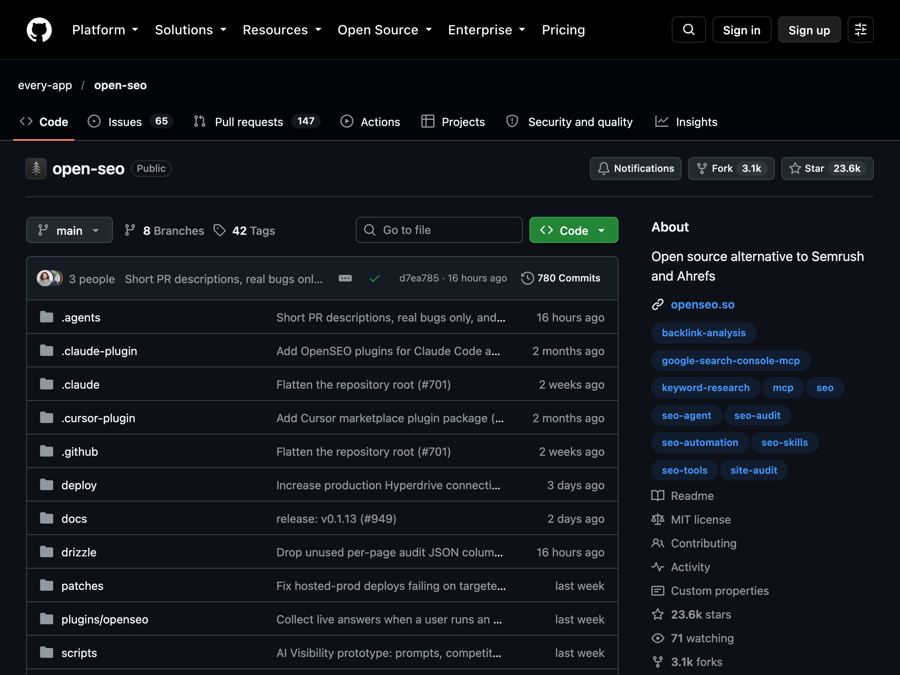
OpenSEO is an open-source alternative to Semrush and Ahrefs for keyword research, rank tracking and site audits, where you pay only for what you use.
The problem it solves
You have a website. Maybe a shop, a blog, or a local business page. You want more people to find it on Google. That work is called SEO, short for search engine optimization.
The popular SEO tools are powerful. They are also expensive, and packed with so many features that they can feel overwhelming. If you just want to know which words people search for, and where your site shows up, a big subscription feels like too much.
What it is
OpenSEO is a free, open-source SEO tool. Open source means anyone can read the code that runs it. Its makers call it an SEO tool "for the people," and a pay-as-you-go alternative to Semrush and Ahrefs.
Instead of a big menu of everything, it focuses on a few clear workflows. You can try it on their website, or run your own copy.
It can also connect to AI assistants, like ChatGPT or Claude, so they can use your SEO data to help you.
Who it's for
- Small business owners who want more customers from Google.
- Bloggers and creators trying to grow their traffic.
- Freelance marketers who don't want to pay for a big tool for every client.
- Online shop owners checking how their product pages rank.
- Anyone curious about how their site shows up in search and in AI answers.
What you can do with it
The README lists six main workflows:
- Keyword research. Find the words and phrases people type into Google.
- Rank tracking. See where your pages show up for those words over time.
- Competitor insights. Check what other sites in your space are doing.
- Backlinks. See which other websites link to yours. Links like these help your site rank.
- Site audits. Find problems on your site that may hurt your ranking.
- AI visibility. Check how your brand shows up in AI tools.
It also has:
- A simple, modern design. Focused tasks instead of a cluttered dashboard.
- AI assistant support. It works with ChatGPT (free and paid plans), Codex, Claude Code and others, with ready-made "skills" (step-by-step guides the AI follows) for SEO tasks.
- Room to customize. Because the code is open, you can change it to fit your needs.
How to start, step by step
The easy way (no setup):
- Go to openseo.so.
- Try OpenSEO for free.
- Type in a keyword or your website address.
- Look at your rankings and the problems the site audit finds.
- Fix the issues one by one.
The do-it-yourself way:
You can run your own copy. There are two paths:
- Docker (a free app that runs other apps in neat boxes). Best for trying it on your own computer.
- Cloudflare (a web hosting company). This is the makers' recommended path for using it across devices or with a team. They say it works on Cloudflare's free plan.
Either way, you also need a DataForSEO account and API key. DataForSEO is the company that supplies the search data. An API key is a password-like code that lets the tool fetch that data. The project's docs folder has step-by-step guides for both paths and for getting the key.
Good to know
- The data is not free. OpenSEO itself costs nothing. But the search data comes from DataForSEO, and you pay them for what you use. There is no fixed monthly fee for that part.
- Hosted plan. If you want to support the project, the hosted version has a $10 a month subscription.
- Self-hosting can be cheaper. The hosted service charges 28% extra on each data request it makes for you. When you host it yourself, you pay DataForSEO directly, so your costs are a bit lower.
- Some setup skill needed for self-hosting. The Docker and Cloudflare paths take some comfort with technical steps. The website is the easy route.
- License: MIT. You are free to use it, change it, and even use it in a business. Just keep the license notice.
The bottom line
OpenSEO covers the SEO basics most small sites need, like keywords, rankings, backlinks and audits, without a big subscription. You pay only for the data you use. Try it on the website first, and self-host later if you want to save more.
Get it: github.com/every-app/open-seo
Keep reading

DBX: one small free app to open and edit 100+ kinds of databases
DBX is a free, tiny app that lets you browse, search and edit over 100 kinds of databases, with an AI helper that writes queries for you.

PureMac: free up space on your Mac without a subscription
PureMac is a free, open-source Mac cleaner that removes junk, fully uninstalls apps, and never tracks you or tries to scare you.

Strata: run a big, private AI chatbot on your own gaming PC
A free one-click installer that runs a large Qwen AI model on a normal gaming PC, so your chats never leave your computer.